
Gaming Desk Lighting Accessories: Matching Light Type to Desk Use
Choose the desk-lighting type by the job the light must do: use a monitor light bar or repositionable desk light for direct task lighting on the work surface, and use an LED strip for indirect ambient or bias lighting around or behind the monitor. Between the two task-light options, a monitor light bar generally suits a screen-centred setup that needs to preserve desk-surface space, while a desk light suits a setup that needs the beam repositioned—provided the mounting surface, clearance, cable reach and power connection fit the actual desk.
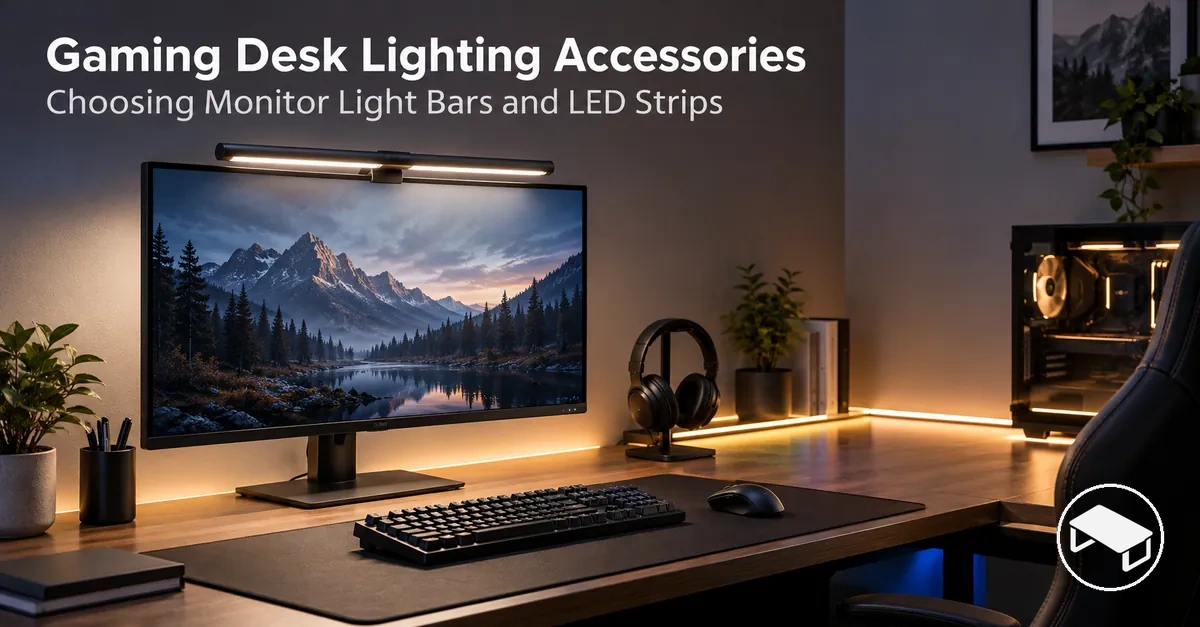
Match the light type to the job and desk constraint
Start with the lighting role, then use desk-space and beam-movement needs to narrow the profile. The result is a product type to evaluate, not a guarantee that every model will fit.
Need: focused light + clear desk surface
Best-fit profile: monitor light bar
It directs light from the monitor area toward the work surface without adding a lamp base to the desk.
Check: monitor-top fit, beam direction and visible screen reflections.
Need: focused light + movable beam
Best-fit profile: repositionable desk light
A movable head, arm or lamp position gives more freedom to direct task light across different parts of the work surface.
Check: usable base or clamp position, clearance and glare from the normal viewing position.
Need: ambient or behind-screen light
Best-fit profile: LED strip
Placed behind the monitor or along the rear or underside of the desk, it provides indirect ambient or bias lighting rather than focused task light.
Check: attachment surface, intended light spill, cable routing and power connection.
Need: task light + atmosphere
Best-fit profile: combine separate roles
Use a monitor light bar or desk light for the work surface and an LED strip for ambient or bias lighting.
Check: each light independently for fit, controllability, glare and connection requirements.
Decision rule: choose by lighting role first; then verify adjustability, beam direction, mounting fit, cable reach and the model-specific power requirement before following a product listing.
The sections below explain how those roles differ, how brightness and colour-temperature controls affect flexibility, and how to verify glare, placement and mounting compatibility before choosing a specific light.
Table of Contents
Task, Ambient and Bias Lighting Around a Gaming Desk
Task lighting provides direct light for the work surface, ambient lighting provides broader indirect light around the desk environment, and bias lighting provides background light from behind or immediately around the monitor.
Task lighting
Illuminated area: the work surface. It uses directed light when a keyboard, controls, writing area or another desk task needs focused illumination.
Ambient lighting
Illuminated area: the surrounding desk environment. It uses broader indirect light to soften or fill the space rather than acting as the primary task beam.
Bias lighting
Illuminated area: the background behind or immediately around the monitor. The light is directed away from the viewer and is not a substitute for work-surface task lighting.

In practice: one gaming desk can use more than one role at the same time. A task light can illuminate the work surface while ambient or bias lighting handles the surrounding area or screen background; the roles are complementary because they illuminate different targets.
Choosing Between Monitor Light Bars, Desk Lights and LED Strips
A monitor light bar, desk light, and LED strip suit different lighting jobs rather than forming a simple quality ranking.
A monitor light bar suits directed task illumination when its mounting position fits the monitor, a desk light suits task illumination that requires repositioning around the work surface, and an LED strip suits indirect ambient lighting or bias lighting when positioned around or behind the setup.
Compare the three options by primary lighting role, light direction, desk-space demand, adjustability, and placement trade-off.
| Option | Primary lighting role | Light direction | Desk-space demand | Adjustability | Main trade-off |
|---|---|---|---|---|---|
| Monitor light bar | Task illumination | Directed from the monitor area toward the work surface | Uses the monitor mounting area instead of a lamp footprint on the desk surface | Adjustment is centred on the mounted light and varies by design | Preserves desk-surface space, but suitability depends on monitor position and mounting fit |
| Desk light | Task illumination | Directed from a desk-surface or clamp position toward the work surface | Requires a surface footprint or suitable clamp position | Repositionable designs allow the light direction or position to change around the work surface | Provides flexible positioning, but its base or clamp requires usable desk or edge space |
| LED strip | Ambient lighting or bias lighting | Indirect light from behind or under the monitor or desk | Uses mounting space along or behind a surface rather than a conventional lamp footprint | Placement determines where the indirect light appears, with less directional repositioning than a movable task light | Provides indirect background illumination rather than directed task illumination |
With limited desk space, a compatible monitor light bar can provide task illumination without occupying the work surface, while a desk light is more suitable when repositioning the light around the work area is the priority.
If the goal is ambient lighting or bias lighting rather than directed task illumination, an LED strip can place indirect light behind or under the monitor or desk.
The image compares all three options using the same desk geometry, making their mounting or placement positions and direct-versus-indirect light paths visible under a consistent setup.

Choose a monitor light bar when monitor-mounted task illumination and clear desk space are priorities, a desk light when repositionable task illumination is more important, and an LED strip when indirect ambient or bias lighting is the intended role.
The preferred accessory type therefore follows the lighting use-case, required light direction, available desk space, monitor position, adjustability needs, and physical fit.
Monitor Light Bars vs Desk Lights for Focused Illumination
A monitor light bar generally favours screen-centred, space-saving focused illumination, while a desk light favours repositionable task lighting across the work surface; suitability depends on the desk and monitor configuration.
The monitor light bar mounts at the monitor, so it does not require a lamp base on the work surface, whereas a desk light uses desk space for a base or requires a suitable edge for a clamp.
A repositionable desk light provides more freedom to change beam direction around the work surface, while a monitor light bar keeps its light source tied to the monitor position.
The image shows these differences using the same desk and monitor, with placement, footprint, illuminated area, and beam direction visible for each option.

Monitor light bar: good fit when
The desk is compact or monitor-centred, preserving work-surface space matters, and the monitor can accept the specific mount. Its main trade-off is that the light source remains tied to the monitor position.
Desk light: good fit when
The beam needs to move between different parts of the work surface and there is usable space for a base or a compatible clamp position. Its main trade-off is the desk or edge space required by that mounting method.
LED Strips vs Monitor Light Bars for Ambient and Task Lighting
An LED strip primarily provides indirect light for ambient lighting or bias lighting, while a monitor light bar provides more directed light for task lighting on the work surface; the illuminated area changes according to placement.
An LED strip positioned behind monitor equipment or along the rear or underside of the desk directs its glow toward surrounding surfaces, while a monitor light bar positioned above the screen directs illumination toward the desk surface.
This difference in light direction means the LED strip serves the screen background or surrounding desk area rather than acting as an equivalent source of focused task lighting.
The image shows the two placements from a matched viewing angle, contrasting the LED strip's indirect background glow with the monitor light bar's directed work-surface beam.

LED strip → indirect light
Behind the monitor it can provide bias lighting; along the rear or underside of the desk it can provide ambient light around that area. Its light spill follows the mounting position.
Monitor light bar → directed task light
Mounted at the monitor, it aims light toward the work surface. It can coexist with an LED strip because the two accessories can serve separate lighting roles rather than replacing each other.
Brightness, Dimming and Colour Temperature
Brightness, dimming, and colour temperature matter when choosing a desk lighting accessory because useful settings change with ambient light, room brightness, the task, and personal preference.
- Brightness range
- The usable output must cover the brighter and darker conditions in which the desk light will actually be used.
- Dimming control
- Stepped or continuous control determines how finely the output can be adjusted between the light's supported levels.
- Colour temperature
- An adjustable white-light range lets the tone move from warmer to cooler settings as room light, task and preference change.
Brightness Range and Adjustment Controls
Useful brightness range and adjustment controls let a monitor light bar or desk light adapt its light output to the desk environment rather than relying on one percentage setting for every condition.
- Range
- Compare the light's supported output range with the desk conditions you need to cover rather than treating one percentage as universally suitable.
- Granularity
- Stepped dimming offers discrete levels; continuous dimming provides finer control across the supported range when the product design allows it.
- Control access
- Buttons, touch controls, a remote or another model-specific control should be practical to reach when the task or room lighting changes.
An adjustable light is a better match for changing conditions when its range, adjustment granularity and control access cover the way that desk is actually used.
Colour Temperature for Gaming and Mixed Desk Use
No single colour temperature is universally correct for gaming and mixed desk use because the suitable white-light tone changes with room light, task, and personal preference.
Warm white: about 2700–3000 K
A warmer, more yellow-white appearance that can suit lower-key or ambience-led use when it matches the room and personal preference.
Neutral white: about 3500–4500 K
A more neutral white appearance that can be useful for mixed desk use when neither a distinctly warm nor distinctly cool tone is preferred.
Cool/daylight-like white: about 5000–6500 K
A cooler white appearance that can suit brighter or more task-oriented conditions when that tone fits the room light and user preference.
These are approximate descriptive bands, not universal gaming targets, and individual products may offer different ranges or presets. Kelvin describes the colour appearance of white light, not brightness; for a multi-use desk, adjustable colour temperature is usually more flexible than one fixed setting.
Beam Direction and Screen Glare as Selection Factors
Screen glare risk increases when a desk light's beam direction and light position create a reflection that enters the normal viewing path.
A beam directed toward the work surface is less likely to create that relationship than light aimed toward the monitor, but the result also depends on screen angle, screen finish, and desk geometry.
Because those reflective conditions differ between setups, no single placement angle or distance should be treated as universal.
Beam direction and the resulting reflection path are therefore the key checks when selecting or positioning the light.
A light aimed toward the screen, or positioned where its reflection is visible from the normal viewing position, can increase distracting screen glare and should be repositioned or redirected when the setup allows.
Changing the light position or screen angle changes the reflection path, while ambient or indirect light can illuminate the surrounding desk area without requiring a direct beam to enter the viewing path.
Check glare from the normal viewing position:
- Beam direction: verify that directed light is aimed toward the work surface rather than toward the screen.
- Reflection: check whether an obvious reflection is visible on the monitor from the normal viewing position; a visible reflection in that viewing path indicates a light-screen-viewer relationship that can increase glare risk.
- Screen angle and finish: check whether changing the screen angle changes the visible reflection, and account for the screen finish because its reflective characteristics affect how prominently the light source or beam appears on the screen.
- Ambient or indirect light: when surrounding illumination is sufficient for the intended role, indirect light can reduce the need to direct a beam through the screen-viewing path.
For example, directed light that reaches the work surface without producing a visible screen reflection has a different reflection path from light that reflects from the monitor toward the viewer.
If a reflection remains visible from the normal viewing position, adjust the beam direction, light position, or screen angle and recheck the result under the desk's actual reflective conditions rather than assuming one adjustment will prevent screen glare in every setup.
Placement and Mounting Fit for Desk Lighting
Placement and mounting fit for a desk light depend on the lighting type, the available desk or monitor mount interface, physical clearance, and whether the cable can reach a compatible power source.
A desk-mounted light needs an available surface or desk edge that matches its mounting method, while a monitor-mounted light needs a monitor profile that provides the contact area and clearance required by that specific mount.
Where dimensions determine fit, compare the light manufacturer's stated mounting limits with the measured desk edge or monitor profile rather than assuming compatibility across different models.
Verification should therefore cover intended position, mounting interface, clearance, cable reach, and power availability.
Check the intended position before treating a lighting option as compatible: the mount must have an appropriate surface or monitor interface, enough clearance to seat as designed, and a cable path that reaches the required connection without relying on an unspecified extension.
For a clamp-mounted light, the desk edge must fall within that model's stated clamp opening and provide the required contact area; for top mounting, the monitor profile must meet the specific mount requirements without an obstruction preventing proper contact.
Compatibility checklist
- Intended lighting position: pass when the light can occupy its intended position without conflicting with the monitor or usable work surface; block fit when another part of the setup occupies the required space.
- Mount interface: pass when the desk edge, available surface, or monitor profile matches the mounting method and the model-specific fit requirements; block fit when the required contact or attachment interface is unavailable.
- Physical clearance: pass when the mount has enough clearance to seat and operate as designed; block fit when desk-edge geometry, nearby hardware, or the monitor profile obstructs the mount.
- Cable reach: pass when the light's cable reaches the required connection from the intended placement; block fit when the connection is outside that reach unless the specific light supports an appropriate alternative connection arrangement.
- Power source: pass when a power source matching the light's stated connection requirement is available within cable reach; block fit when that required connection is unavailable at the intended placement.
Treat a lighting option as compatible only when its model-specific mounting limits, available clearance, cable reach and required power connection match the actual desk. If any one of those conditions fails, the intended placement is not ready without a supported alternative arrangement.
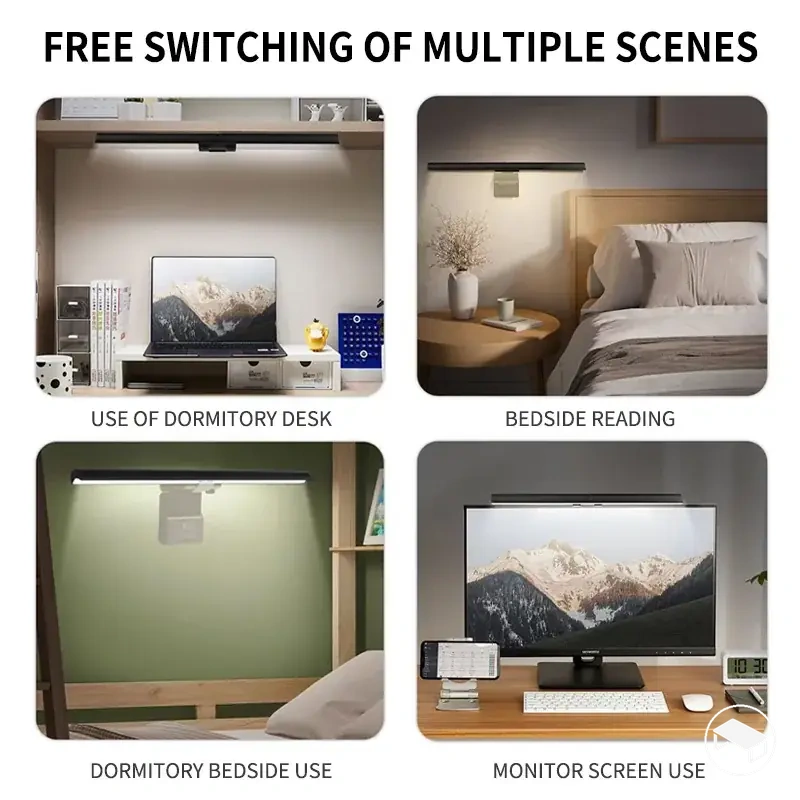
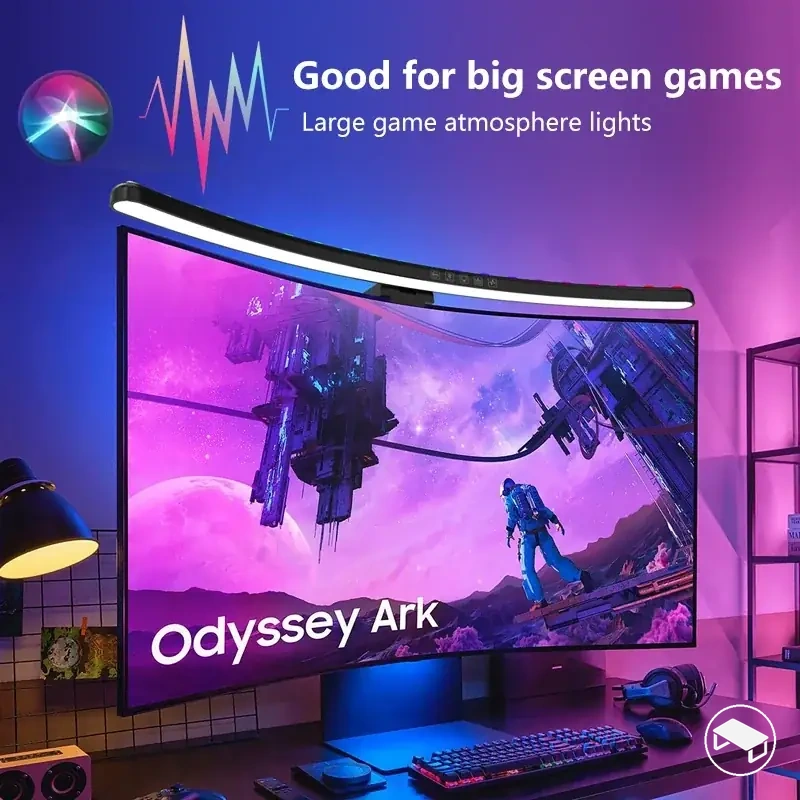
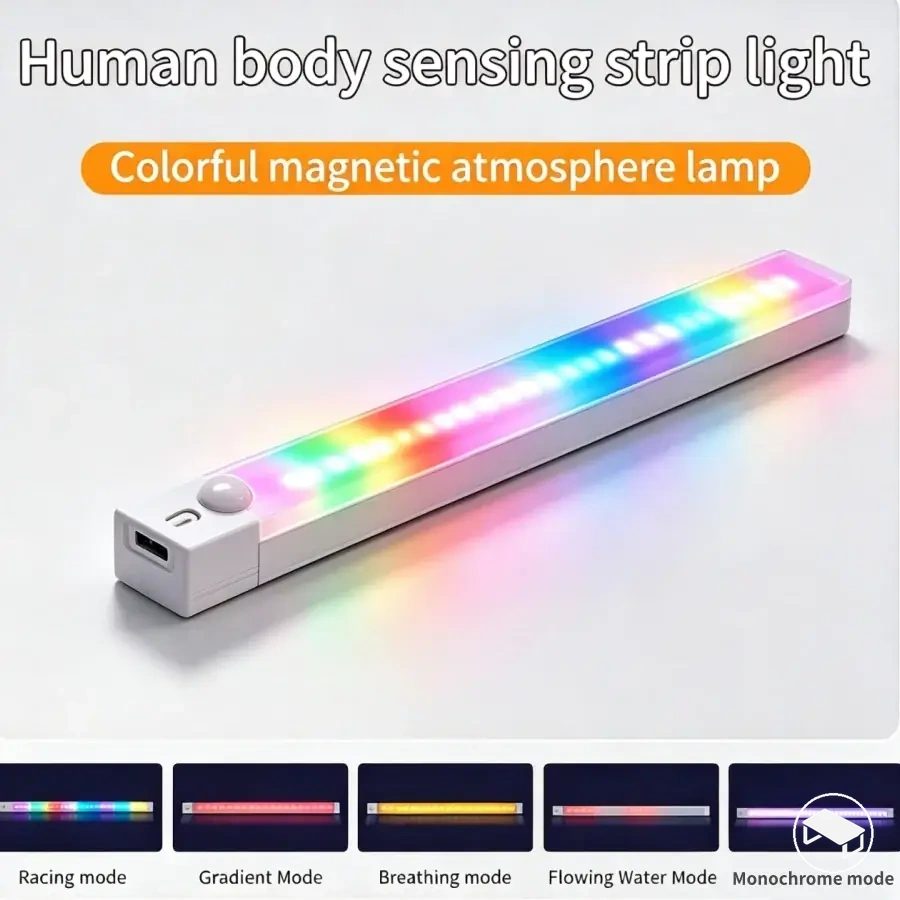
The examples below are optional product references to compare against the fit and lighting-role criteria above.
Before following a listing, confirm the current model's mounting dimensions, controls, connector or power requirement, and other product-specific details; marketplace price, availability and delivery conditions can change.
Monitor-Top and Clamp Mounting Constraints
Monitor-top mounting and a clamp-on desk light are suitable only when the available contact area, monitor profile or desk-edge thickness, clearance, and mounting stability match the specific accessory's requirements.
Monitor-top mount
Verify: monitor profile, available contact area, clearance and stability. The mount fits only when it can sit as designed without the bezel, back shape or nearby hardware obstructing its contact points.
Desk clamp
Verify: desk-edge thickness, clamp opening, contact area, clearance and stability. The clamp fits only when the measured edge falls within that model's documented range and the clamp can seat securely.
Exact fit limits are model-specific. Measure the actual monitor profile or desk edge, then compare those measurements with the accessory's documented mounting range instead of assuming that all monitor-top or clamp mounts share the same dimensions.
LED Strip Mounting Positions and Attachment Options
An LED strip position should follow the intended light spill and the mounting surface available on the desk or monitor setup.
Choose the light-spill position first
Under desk
Directs visible spill below or around the desk. It needs an unobstructed underside surface and a workable route for the power lead.
Rear edge
Directs indirect light from the back of the desk. It needs usable rear-edge attachment area and clearance from nearby hardware.
Behind monitor
Directs background light behind the display for a bias-lighting role. The attachment point must not obstruct monitor hardware or cable routing.
Then match the attachment method to the surface
- Adhesive or removable tape: use only when the strip or mounting system supports it and the surface material, texture, coating and cleanliness allow reliable contact.
- Mounting clips or removable straps: use when they match an available mounting point and can hold the strip without blocking nearby hardware or the cable path.
Whichever method is used, the strip should remain securely positioned at the intended light-spill location with a practical cable-routing path.