
Gaming Desk Storage Accessories for Headsets, Controllers and Small Items
Choose gaming desk storage by matching the stored device and item count to the holder’s support geometry and capacity, then confirm the desk can accommodate its footprint or mount. Use a desktop stand or tray when you have enough desk-surface space and easy repositioning matters; use an under-desk or desk-edge holder when you need to free desktop space and have compatible clearance; use a combined holder when its stated positions and support geometry fit the full headset-and-controller mix.
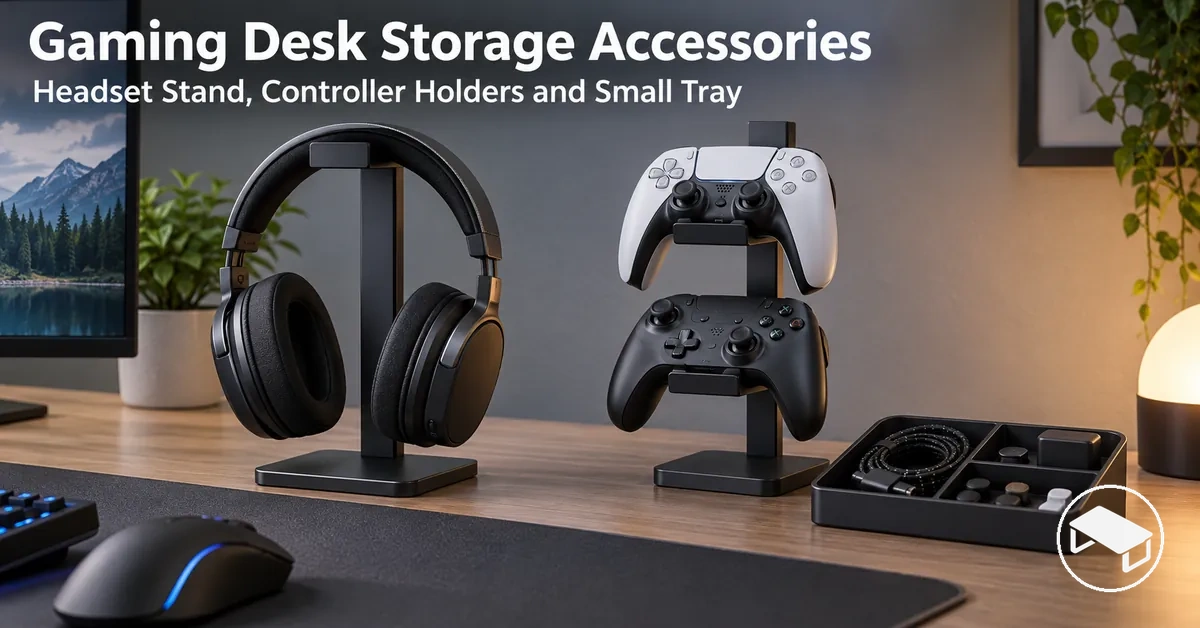
Quick selection guide: match the storage format to your setup
Choose from the item being stored, the physical zone available on the desk, the mounting conditions, and the access you need. Product examples should only be compared after these fit conditions are satisfied.
Desktop stand or holder
- Best fit when
- You want visible, direct access and easy repositioning.
- Trade-off
- Its base and stored device use desk-surface space.
- Verify
- Support geometry, capacity, stability, and available surface area.
Under-desk hanger
- Best fit when
- Free desktop space matters and a suitable underside mounting area is available.
- Trade-off
- Access and visibility depend on the below-desk position.
- Verify
- Attachment area, reach, and clearance for legs, cables, and nearby equipment.
Desk-edge or clamp holder
- Best fit when
- You want storage off the main surface while keeping it near the desk perimeter.
- Trade-off
- Compatibility depends on the specific edge and surrounding structure.
- Verify
- Clamp range, edge shape, contact surfaces, underside clearance, and obstructions.
Organizer tray
- Best fit when
- Several small accessories need flexible shared storage and open access.
- Trade-off
- It uses surface area and does not provide item-specific retention.
- Verify
- Usable tray space, compartment layout where present, and total footprint.
Combined headset-controller stand
- Best fit when
- Several supported device types can share one practical storage position.
- Trade-off
- Shared placement can reduce independent positioning flexibility.
- Verify
- Stated capacity, device spacing, support geometry, footprint, and any mounting requirements.
Decision rule: eliminate any format that fails physical fit or mounting compatibility before comparing convenience, footprint, or product examples.
These accessories provide dedicated device and small-item storage; they do not replace cable routing, monitor supports, charging accessories, or larger furniture storage.
Table of Contents
Storage Formats for Headsets, Controllers and Small Gaming Accessories
Gaming desk storage accessories use five main storage formats: desktop stands, under-desk hangers, desk-edge holders, organizer trays, and combined holders.
These categories describe where an accessory is stored and how it is accessed, rather than identifying one universally best product.

- Desktop stand: stores a headset, controller, or other supported device on the desk surface; it requires a stable surface position and keeps the stored item visible and directly reachable.
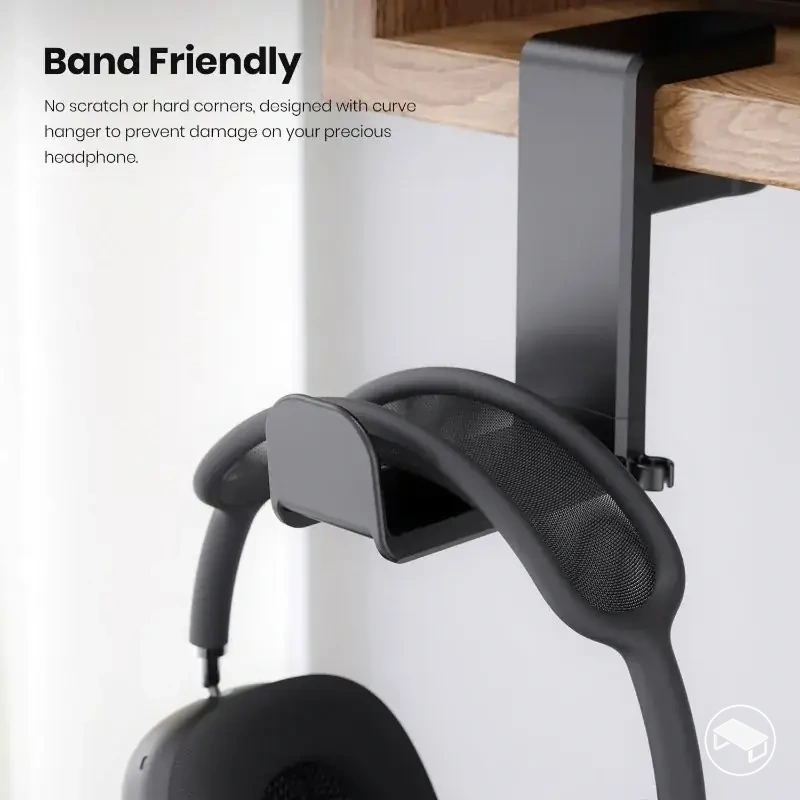
- Under-desk hanger: stores a headset or another compatible hanging item below the desktop; it requires a suitable attachment position beneath the desk and provides access from below the work surface.
- Desk-edge holder: stores a headset, controller, or supported accessory at the desk perimeter; its mounting method requires a compatible desk edge and keeps the item reachable without placing the holder fully on the desktop.
- Organizer tray: stores small gaming accessories or mixed loose items together on the desk surface; it requires enough surface area for its footprint and provides open access to several items from one location.
- Combined holder: stores a headset and controllers within a shared footprint; it can occupy a desktop or mounted position according to its design and groups multiple supported devices within one access area.
The useful storage format depends on the item being stored and the physical zone available for storage.
Desktop, under-desk, desk-edge, tray, and combined formats therefore establish the storage taxonomy without extending into the broader gaming desk accessory category.
Choosing by Device Fit, Capacity and Mounting Requirements
Screen a gaming desk storage holder first by device fit, required capacity, and mounting compatibility. A convenient format is not suitable if the stored item cannot rest on its intended support points or the desk cannot accept the holder as designed.
Device dimensions and shape must suit the holder’s support geometry, while the intended item count must stay within the product’s stated capacity or supported configuration.
For mounted designs, the required mounting point must be available with enough clearance for the holder to seat as designed; a nominally compatible holder can still fail if the desk edge, apron, drawer, brace, or nearby equipment blocks the mount.

- Device dimensions or shape: verify that the headset, controller, or other stored item fits the holder's specified support geometry; where dimensions determine fit, compare the device measurements with the relevant product specifications.
- Item count: match the number of stored items to the holder capacity or stated number of storage positions so each intended item has a supported position.
- Support geometry: check that the holder's contact area corresponds to the intended support area of the stored device rather than requiring an unintended resting position.
- Mounting method: identify whether the holder is freestanding, clamped, hung, or otherwise mounted, then verify that the desk provides the required mounting condition.
- Desk edge or surface: verify that the required desk edge or surface is available and that its shape and surrounding clearance allow the holder or mount to occupy its intended position.
- Access and placement clearance: confirm that the chosen position provides an unobstructed access path for placing and retrieving the stored items in the intended direction.
A holder may provide enough capacity for several controllers yet still be unsuitable for a desk-edge position when an obstruction prevents the mount from seating correctly. Capacity fit and mounting fit are separate requirements.
Device Fit, Holder Capacity and Support
A holder is suitable when its support geometry accommodates the stored item’s size and shape, its capacity matches the intended item count, and its contact area supports the device at the points the design is intended to carry.
For a headset, relevant fit includes the headband width and shape where it meets the support; for a controller, the body shape and intended support points determine how it rests. Exact dimensions and capacities vary by holder, so compare the specific device measurements with the holder specifications when fit is dimension-dependent.
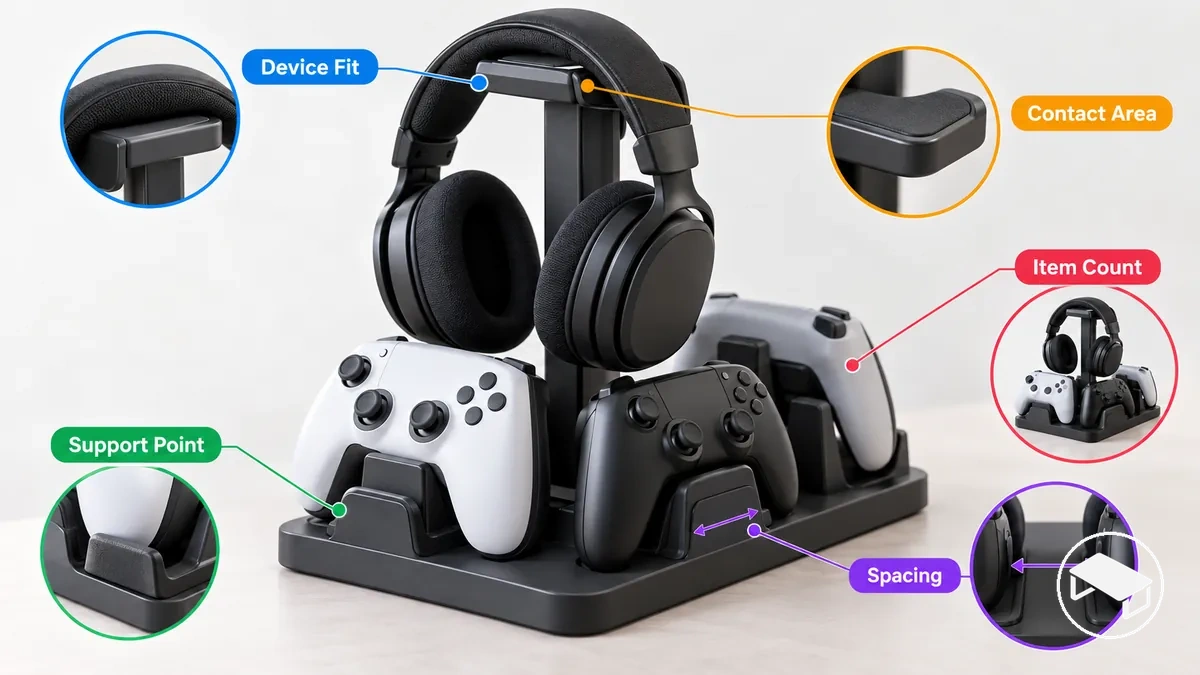
- Dimensions and shape: the headset or controller must fit the holder geometry with its intended support area resting on the corresponding support point.
- Item count: the number of stored devices must remain within the holder capacity or stated number of storage positions for that specific design.
- Contact area: the headset headband or controller body must meet the holder at the intended contact area so the device receives secure support in its stored position.
- Spacing: when multiple devices share a holder, each item needs sufficient separation to rest on its intended support geometry without interfering with adjacent stored items.
Nominal compatibility is not the same as physical fit. Device dimensions, contact points, item count, and spacing still need to match the particular holder.
Clamp Fit and Desk-Edge Clearance
A clamp-on headset holder is suitable only when the desk edge fits within the holder’s specified clamp range and provides enough unobstructed contact area for the clamp to seat as designed.
Edge thickness must fall within the adjustment range for that holder, but thickness alone is not enough: edge shape, underside structures, and nearby equipment can reduce the usable clamping area.
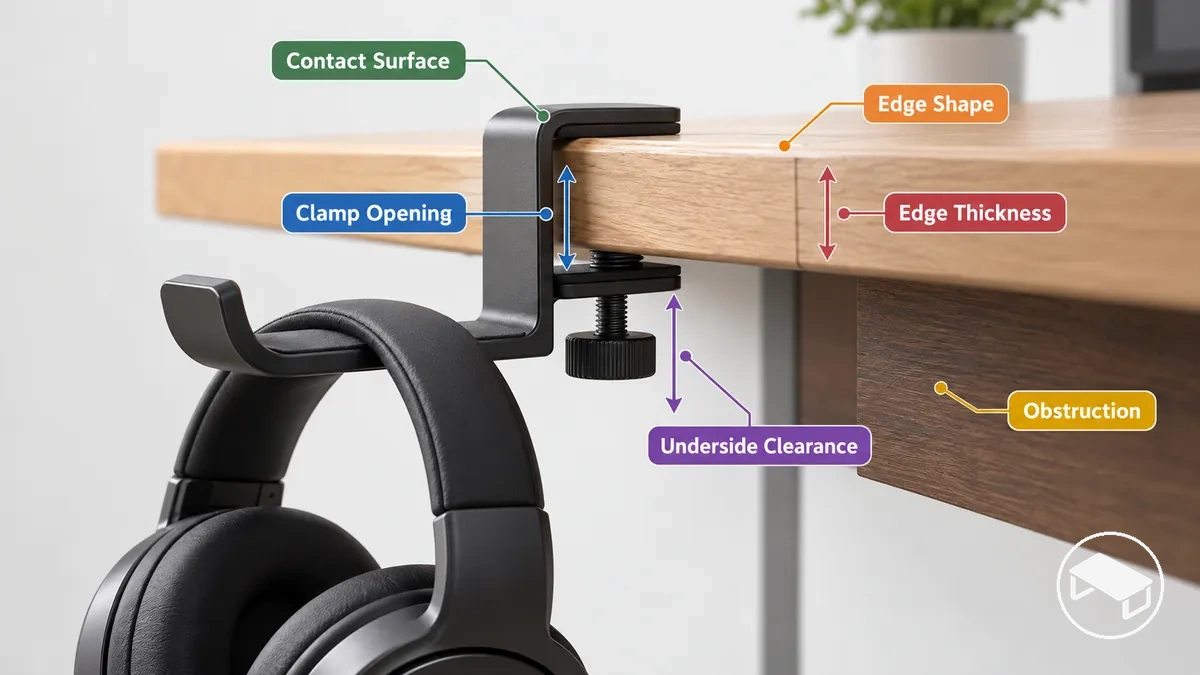
- Edge thickness: the desk edge must fit within the clamp opening and the adjustment range specified for the particular clamp-on headset holder.
- Underside clearance: the area beneath the mounting position must provide unobstructed space for the lower clamp component to reach its intended contact surface and seat as designed.
- Edge shape: the desk edge must provide suitable contact geometry for the clamp jaws; a beveled edge or rounded lip can change the available contact surface and prevent full seating.
- Obstructions: an apron, drawer, brace, or similar structure can reduce usable underside clearance or occupy the space required by the clamp even when the edge thickness fits within the clamp opening.
- Contact surface and adjustment range: the clamp must be able to adjust to the desk edge while its intended upper and lower contact surfaces seat against suitable areas of the desk.
Placement and Space Efficiency on Gaming Desks
Good storage placement balances a clear desk surface with reachability, visibility, and clearance for both the holder and the stored item.
The useful storage zone depends on desk dimensions, seating position, preferred reach, surrounding equipment, and whether the setup can accept a mount. Moving storage off the surface can free desktop area, but it adds clearance and mounting conditions that a freestanding holder does not require.
Desk surface
Best when visibility, direct access, and easy repositioning matter. The cost is the base and stored item occupying usable desktop area.
Desk edge
Useful for moving storage away from the main surface while keeping it near hand. It requires a compatible edge, unobstructed clamping area, and practical reach.
Under the desk
Useful when preserving surface area is a priority. The holder and stored item must stay clear of legs, cables, drawers, braces, and other equipment.
Keep the storage holder reachable from the normal seating position without blocking the desk surface, edge, or under-desk area needed for regular use.
If cables and storage accessories compete for the same physical zone, treat cable routing as a separate layout constraint so neither storage access nor cable paths are obstructed.
Comparing Desktop, Under-Desk and Combined Storage Formats
Desktop storage, under-desk storage, clamp-mounted holders, organizer trays, and combined stands differ mainly in surface footprint, mounting commitment, access, portability, capacity flexibility, and fit dependencies.
| Format | Surface footprint | Mounting commitment | Access | Capacity flexibility | Portability | Fit dependencies |
|---|---|---|---|---|---|---|
| Desktop stand or holder | Uses desk-surface space for its base and stored item | No desk mounting when freestanding | Direct surface-level access with high visibility | Limited to the supported positions of the holder | Easy to reposition when freestanding | Requires enough surface area and suitable support geometry for the stored device |
| Under-desk hanger | Keeps the holder and stored item off the main desk surface | Requires an under-desk attachment or mounting position | Access is below the desk surface and depends on reachability | Limited to the supported hanging positions | Less portable while attached to the desk | Depends on usable under-desk clearance and a suitable attachment area |
| Clamp-mounted holder | Keeps most or all storage off the main desk surface | Requires attachment at a compatible desk edge | Provides edge-level access when positioned within practical reach | Limited to the storage positions supported by the holder | Repositionable when another compatible mounting position is available | Depends on desk-edge fit and surrounding clearance |
| Organizer tray | Uses desk-surface space according to the tray footprint | No desk mounting when freestanding | Provides open surface-level access and visibility | Flexible for mixed small items within the tray's usable space | Easy to reposition when freestanding | Requires sufficient desk surface for the tray and its contents |
| Combined headset-controller stand | Uses one shared footprint for multiple supported devices | Depends on whether the design is freestanding or mounted | Groups supported devices within one access area | Supports multiple device types within its designed storage positions | Repositionable when freestanding; tied to its mounting position when mounted | Depends on device support geometry, available space, and any mounting requirements |
Limited desk-surface space can favour under-desk or clamp-mounted storage when the required clearance and mounting conditions are available, while frequent repositioning can favour freestanding desktop formats.
A combined stand can consolidate several supported devices within one shared footprint, but the shared position is useful only when the stated capacity, spacing, and support geometry fit the intended device mix.
Choose the format whose constraints fit the desk first. Then compare convenience, access, portability, and how much surface space each acceptable option uses.
Headset Stands vs Under-Desk Hangers
A headset stand favours visible, movable access on the desk surface, while an under-desk hanger favours preserving desktop space when mounting clearance and reach remain suitable.
Choose a desktop headset stand when…
- surface footprint is acceptable;
- high visibility and direct reach matter;
- you want to reposition storage without changing a mount.
Trade-off: the stand occupies desk-surface space.
Choose an under-desk hanger when…
- free desktop space is the priority;
- a suitable attachment area exists;
- the headset remains easy to reach below the desk.
Trade-off: mounting position and below-desk clearance become part of fit.
Choose between the two by matching surface-space constraints, reach, portability, and mounting feasibility to the actual desk.
Desktop vs Mounted Controller Holders
A desktop controller holder favours simple placement and repositioning, while a mounted controller holder can reduce the desktop surface used for storage when a compatible mounting position exists.
Desktop controller holder
Best for easy repositioning and direct surface-level access when its footprint is acceptable.
Verify: device support points, stated controller capacity, base stability, and available surface area.
Mounted controller holder
Best for moving controller storage off the main surface when the desk provides a suitable mounting position.
Verify: the same device/capacity fit plus mount security, desk compatibility, clearance, and practical reach.
Do not assume one format is inherently more stable or higher-capacity: those values depend on the specific holder design and mounting condition.
Dedicated Holders vs Organizer Trays
A dedicated holder is useful when a headset, controller, or another supported item benefits from item-specific support, while an organizer tray is useful when several small accessories need flexible shared storage.
Dedicated holder
Better when a device benefits from a defined support position and item-specific retention.
Check: support geometry, contact points, stated item capacity, and footprint.
Organizer tray
Better when remotes, adapters, and other small items can share open storage in one accessible area.
Check: usable dimensions, compartment layout where present, total item volume, and desktop footprint.
Decision boundary: choose item-specific retention when fit and support matter most; choose shared tray storage when mixed-item flexibility matters more.
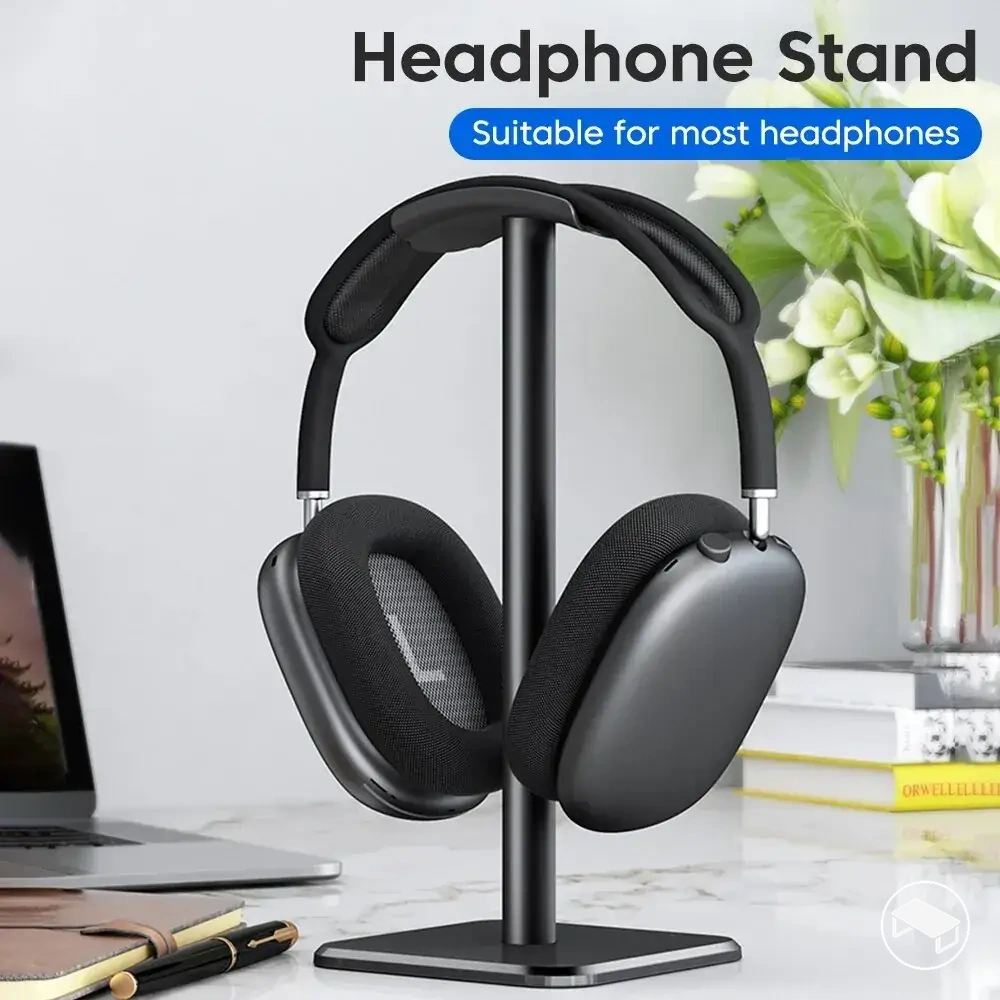
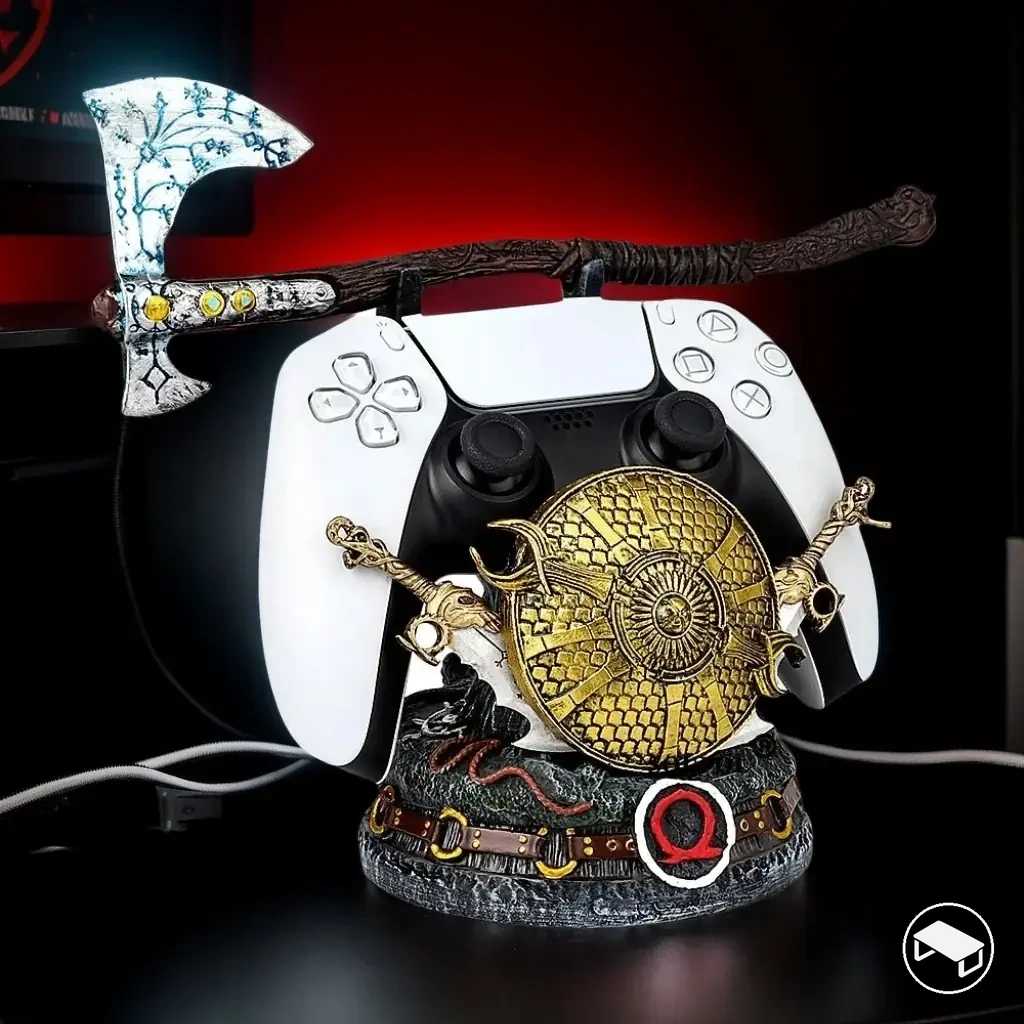
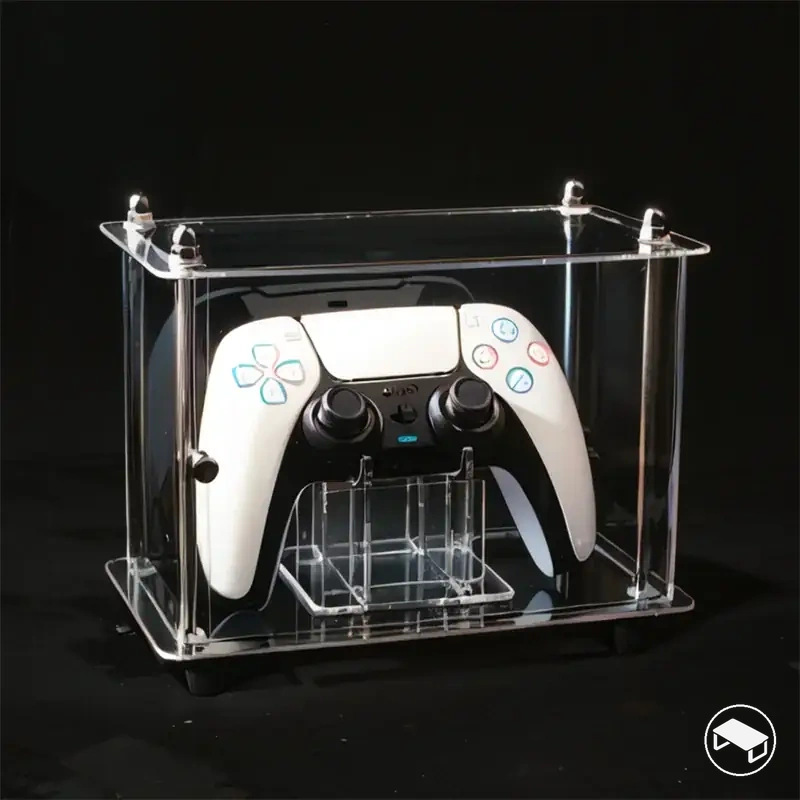
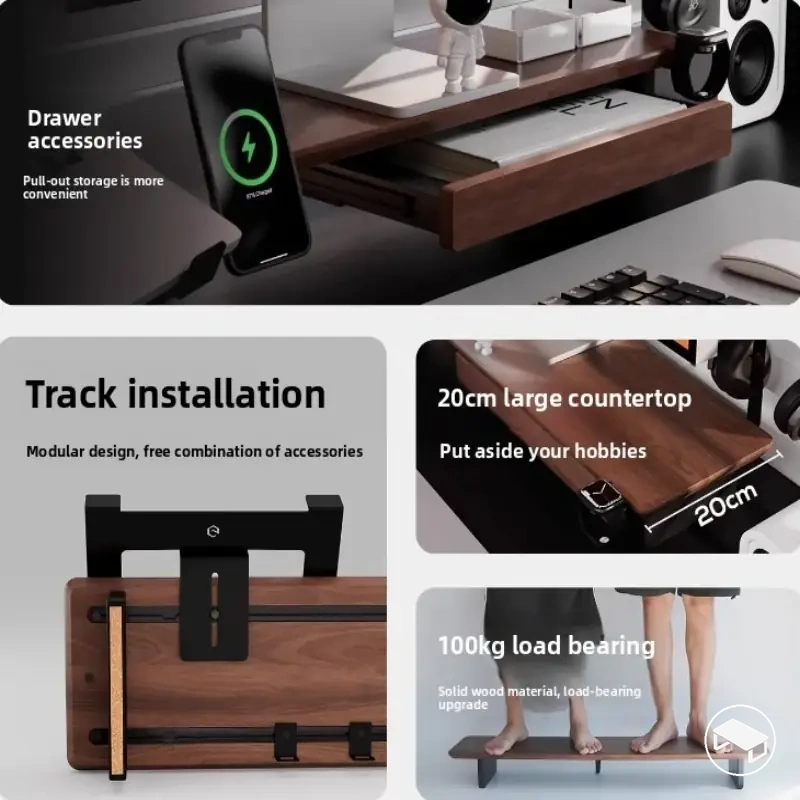
The product examples below illustrate several storage formats already discussed. Check dimensions, capacity, support geometry, mounting method, and desk compatibility before following a price link.
Separate Holders vs Combined Headset and Controller Stands
Separate holders favour independent placement, while a combined headset-and-controller stand consolidates several supported devices into one storage position.
Separate holders
Best when the headset and controllers need different access positions or the desk layout benefits from distributing storage.
Trade-off: several bases or mounts can consume more total placement zones.
Combined stand
Best when one practical location can support the complete device mix within the stand’s stated positions and spacing.
Trade-off: one shared footprint does not guarantee less usable desk space, and a single position reduces independent placement flexibility.
Choose a combined stand only when its stated capacity, spacing, support geometry, footprint, and access suit the complete stored-device mix; otherwise, separate holders preserve more placement flexibility.